| .. | ||
| ftdetect | ||
| indent | ||
| syntax | ||
| test | ||
| LICENSE | ||
| README.md | ||

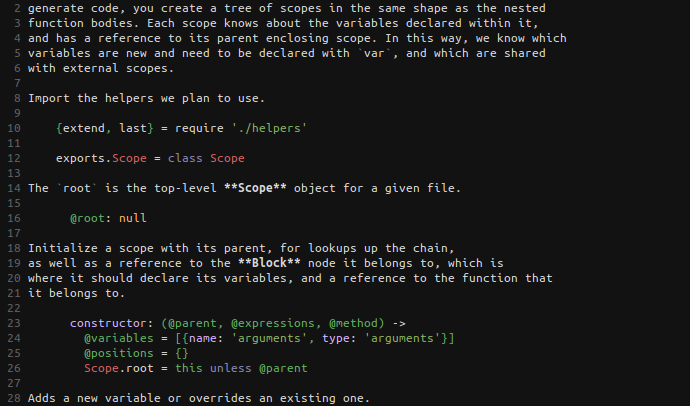
vim-literate-coffeescript adds syntax highlighting and indentation support for
Literate CoffeeScript to the vim text
editor.
It looks something like this:
Dependencies
You must have syntax highlighting installed for both Markdown and CoffeeScript installed to use this package.
Installation
Manually
-
Clone this repository.
git clone https://github.com/mintplant/vim-literate-coffeescript.git -
Copy all the vim-specific files into your ~/.vim folder.
cp -r vim-literate-coffeescript/ftdetect/ ~/.vim/
cp -r vim-literate-coffeescript/indent/ ~/.vim/
cp -r vim-literate-coffeescript/syntax/ ~/.vim/
With Pathogen
Setup
-
Install Pathogen
-
Change directory to your bundle folder.
cd ~/.vim/bundle -
Clone this repository.
git clone https://github.com/mintplant/vim-literate-coffeescript.git
Updating
-
Change directory to where the repository was cloned.
cd ~/.vim/bundle/vim-literate-coffeescript/ -
Pull in the latest changes.
git pull